
Documentation Index

Fetch the complete documentation index at: https://docs.retailgrid.io/llms.txt

Use this file to discover all available pages before exploring further.

An agent is something Retailgrid runs for you against a grid - a pricing rule engine, an optimizer, a forecaster, or a presentation generator. Agents take the products in a grid as input, execute on Retailgrid’s backend, and write their results back to the grid as new columns or as a separate artifact (e.g. a Gamma deck). Agents are how you go from looking at data to acting on it.

Available agents

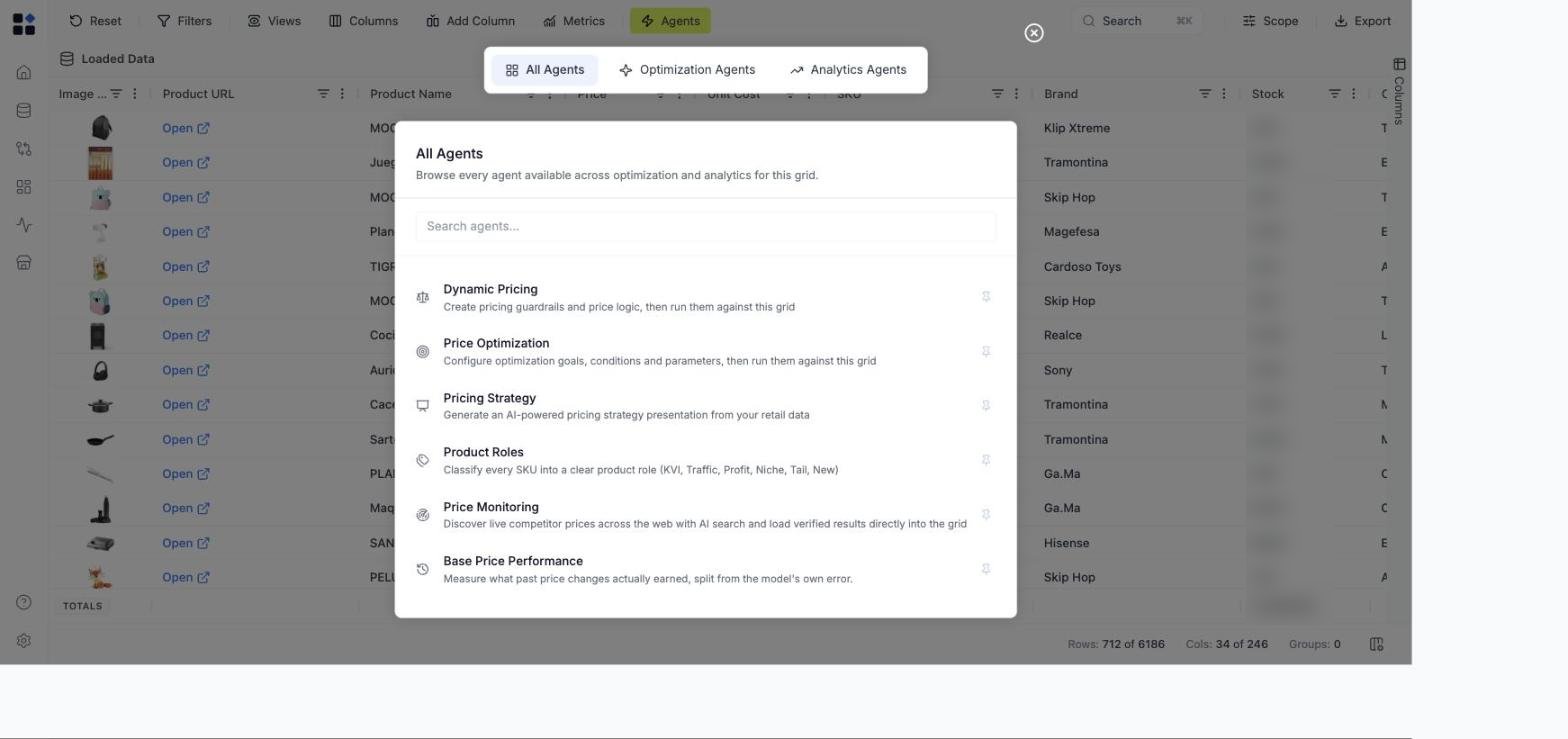
Click Agents in the grid toolbar to open the All Agents modal. The agents currently available:
AgentWhat it doesWhen to use it
Rules Based PricingRun pricing rules (margin floors, competitor matching, percentage changes, etc.) against the grid and write the resulting prices back.You know the pricing logic you want and want it applied consistently across SKUs.
Price OptimizationAI-powered optimal price recommendations - elasticity-driven and demand-aware.You want suggested optimal prices instead of writing the rules yourself.
Sales ForecastPredictive analytics that estimates future sales by SKU.Demand planning, seasonality analysis, capacity decisions.
Pricing StrategyGenerates an AI-powered pricing-strategy presentation (Gamma deck) from your portfolio data over any of seven historical timeframes (last 7 / 30 / 90 days, QTD, YTD, T12M, custom).Quarterly business reviews, board decks, and pricing-strategy conversations with stakeholders - now driven by real grid data and your account’s company name.
Agents are organized into two tabs in the All Agents modal: Optimization Agents (Rules Based Pricing, Price Optimization) and Analytics Agents (Sales Forecast, Pricing Strategy). Elasticity analysis is on the roadmap.
All Agents modal

Pin agents you use often

Each agent in the All Agents modal has a pin icon. Click it to pin the agent to the grid toolbar - it appears as a compact button between Agents and Export. Click a pinned button to open that agent’s configuration directly without opening the modal first. Use pinning when you run the same agent on every grid (most teams pin Rules Based Pricing).

Configure manually or by AI

Most agents support two configuration modes:
  • Manual - fill in the fields (rule type, scope, parameters) yourself.
  • By AI - describe what you want in plain language; Retailgrid generates the configuration and you review before saving.
The AI configuration speed-up is most useful for Rules Based Pricing, where the rule grammar takes a moment to learn.

Save and load configurations

For agents that take meaningful setup (Rules Based Pricing), click Config Manager in the agent dialog to save the current configuration as a named config and reload it later - on the same grid or on a different one. This is the right move when:
  • A rule set works for one category and you want to reuse it on another.
  • You’re iterating on parameters and want a clean restore point.
  • A teammate needs to run “the same thing I ran last week.”

Read the Price Analysis panel

When an agent writes its result back to the grid (e.g. Rules Based Pricing’s calculated price), click the result cell to open the right-side Price Analysis panel. It shows what produced that value - which rules applied, which were violated, what inputs were used, and how the run affected unit margin. The Price Analysis panel is the answer to “why did the agent give me this number?”

See what’s running and what ran

Every agent execution shows up in the Runs section in the left sidebar - status, duration, who triggered it, and the output. The Runs nav icon also shows a small badge with the count of currently running jobs. If an agent fails or partially succeeds, the Runs page is where you see the error.