

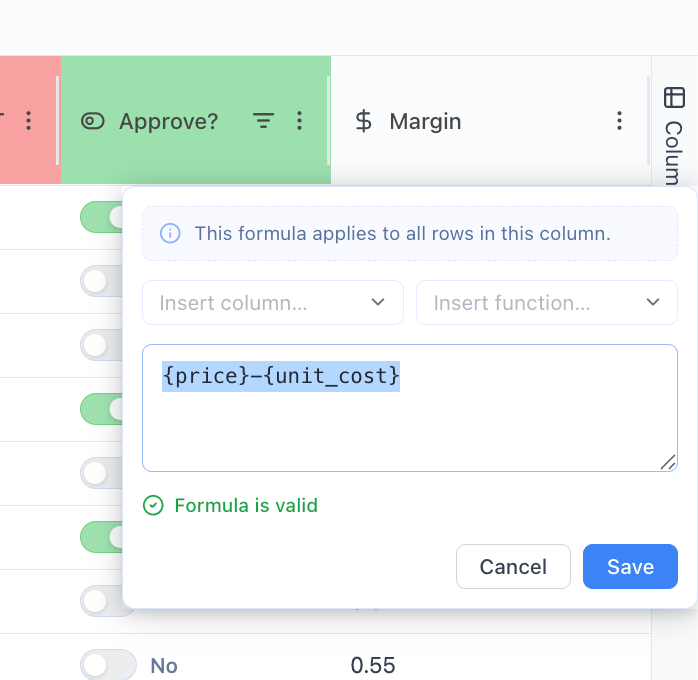
1. What is a formula column?
A Formula Column automatically computes values using:- Other columns (e.g.
{Price},{Unit Cost}) - Functions (e.g.
SUM,IF,ROUND) - Operators (
+,-,*,/)
2. How to create a formula column
Step 1: Add column
- Click Columns → Add Column
Step 2: Select type
- Select Formula
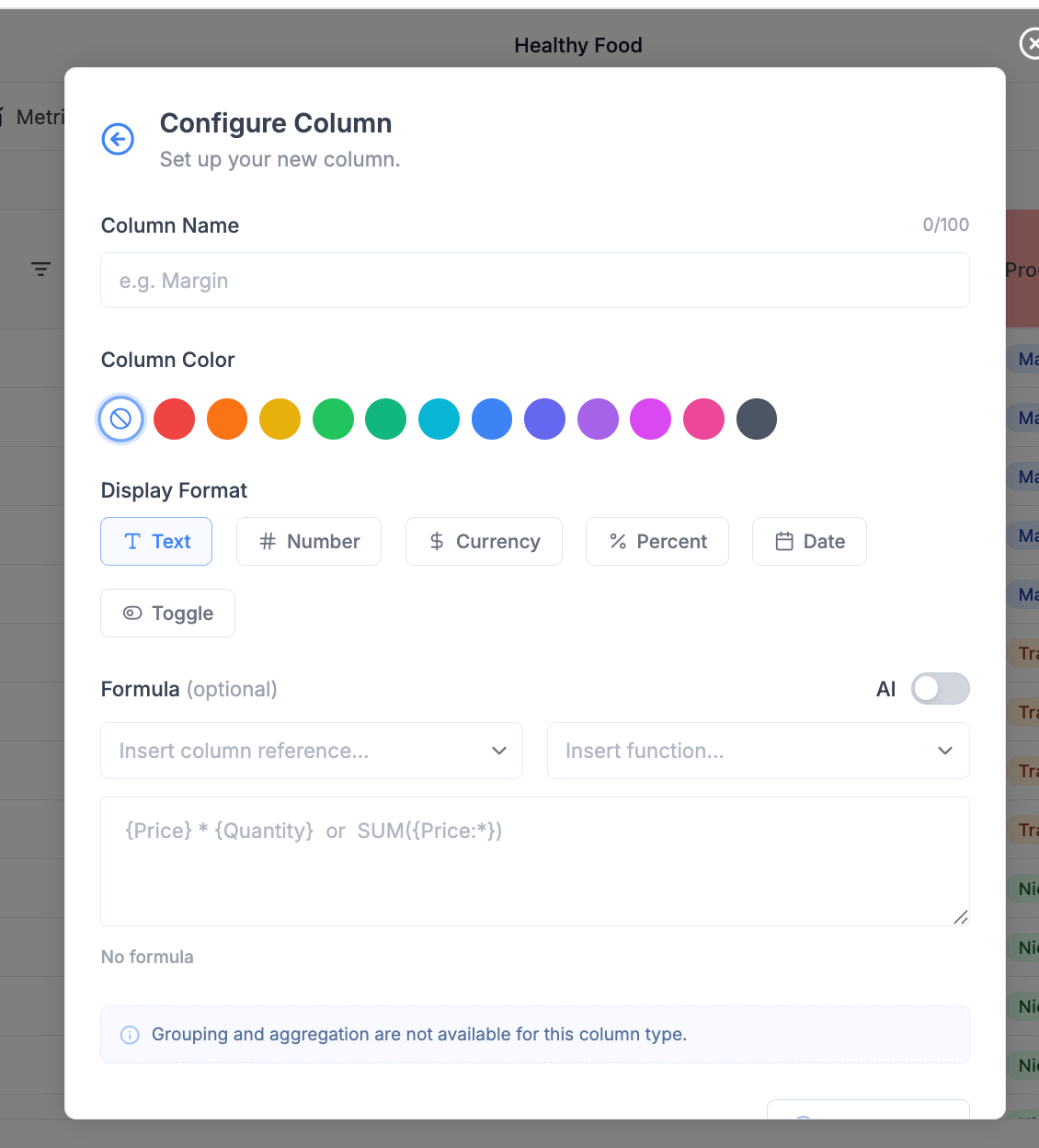
Step 3: Configure column
1. Name
Give a clear business name:Margin %RevenuePrice Index
2. Display format
Select how results are shown:3. Build formula
You have three ways:3. Build formulas
3.1 Manual input
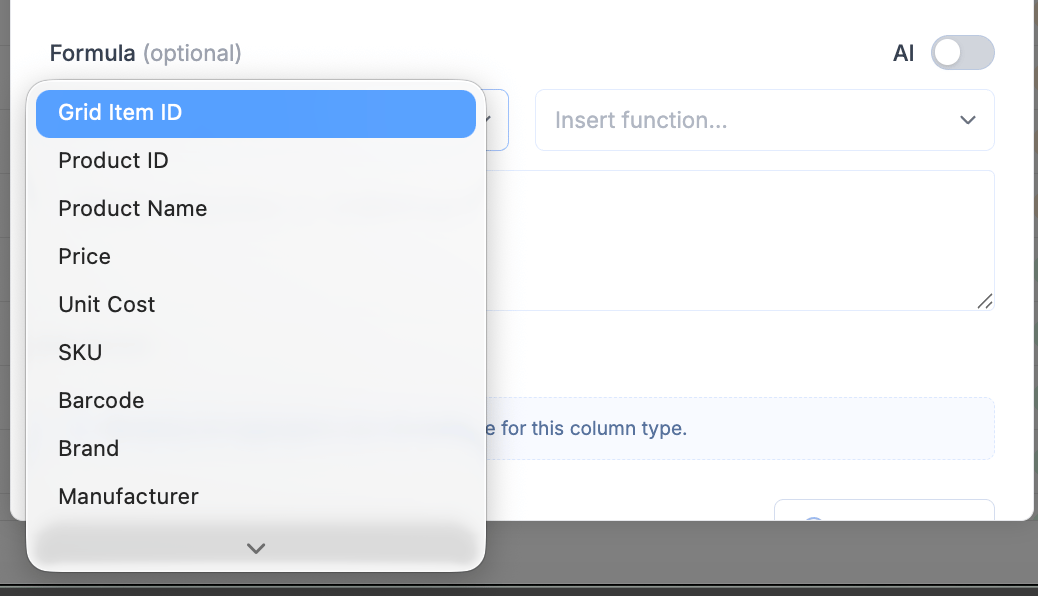
Type directly:3.2 Insert column references
- Click Insert column reference
- Select fields from the list
3.3 Insert functions
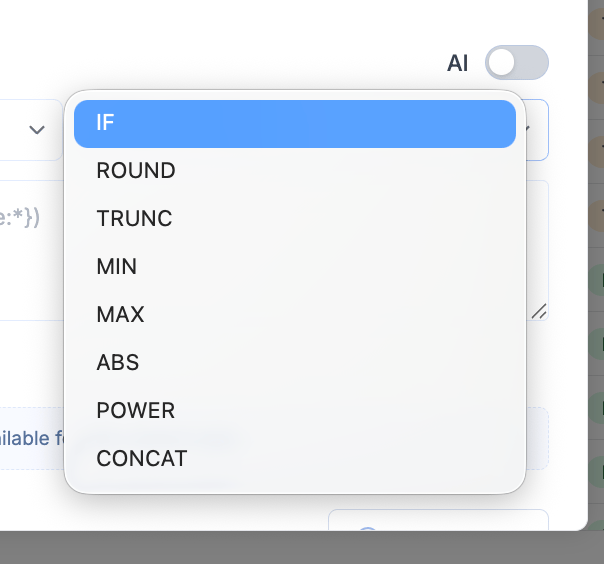
- Click Insert function
- Select from the list
Math and numeric functions
ROUND(value, digits)
Rounds a number to a specified number of decimals.
Example:
TRUNC(value, digits)
Truncates a number without rounding.
Example:
PRODUCT(value1, value2, ...)
Multiplies values.
Example:
POWER(base, exponent)
Raises a number to a power.
Example:
RAND()
Generates a random number between 0 and 1.
Example:
Aggregation functions
SUM(range)
Returns sum of values.
SUMIF(range, condition)
Conditional sum.
MIN(range)
Returns smallest value.
MAX(range)
Returns largest value.
AVERAGE(range)
Returns average.
MEDIAN(range)
Returns median value.
Counting functions
COUNT(range)
Counts numeric values.
COUNTA(range)
Counts non-empty values.
COUNTBLANK(range)
Counts empty cells.
COUNTIF(range, condition)
Counts values matching condition.
Logical functions
IF(condition, value_if_true, value_if_false)
Conditional logic.
Text functions
CONCAT(value1, value2, ...)
Joins text values.
Date and time functions
NOW()
Returns current date and time.
TODAY()
Returns current date.
Operators (core syntax)
Arithmetic
Comparison
4. Use AI to generate formulas
Step 1: Enable AI
- Toggle AI ON
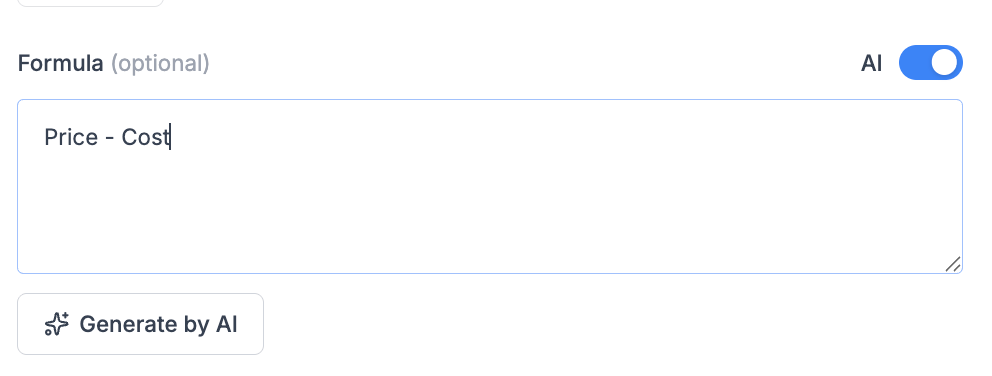
Step 2: Describe logic
Example inputs:- “Margin”
- “Revenue = price times quantity”
- “Discount percent”
Step 3: Generate
- Click Generate by AI
- Create the formula
- Validate the syntax
5. Validation and feedback
After writing a formula:- Formula is valid - ready to use.
- Errors - fix syntax or references.
- Missing
{}around columns - Invalid function usage
- Division by zero (logic issue)
6. Key concepts
6.1 Row-level calculation
Formulas work per row. Example:6.2 Column references
Always use{}.
Correct:
6.3 Functions
Used for:- Aggregation
- Logic
- Transformation
7. Common use cases
Pricing
Margin %Revenue
RevenueClassification
Price TierPromotions
Discount %8. Best practices
Naming
- Use business terms, not technical ones
- Prefer:
Gross Margin %Net Revenue
Simplicity
- Avoid overly complex formulas
- Break into multiple columns if needed
Reusability
- Build intermediate columns:
MarginRevenue
- Then reuse in other formulas
Performance
- Avoid heavy nested formulas on large datasets
- Prefer simpler expressions
9. Limitations
- Some column types do not support aggregation
- Text fields cannot be used in numeric calculations
- No multi-row / window functions (yet)
10. Recommended workflow
- Ensure base data exists (Price, Cost, etc.)
- Create core metrics:
- Revenue
- Margin
- Add derived insights:
- Classification
- Flags
- Refine with AI or manual tuning