

Open the queue
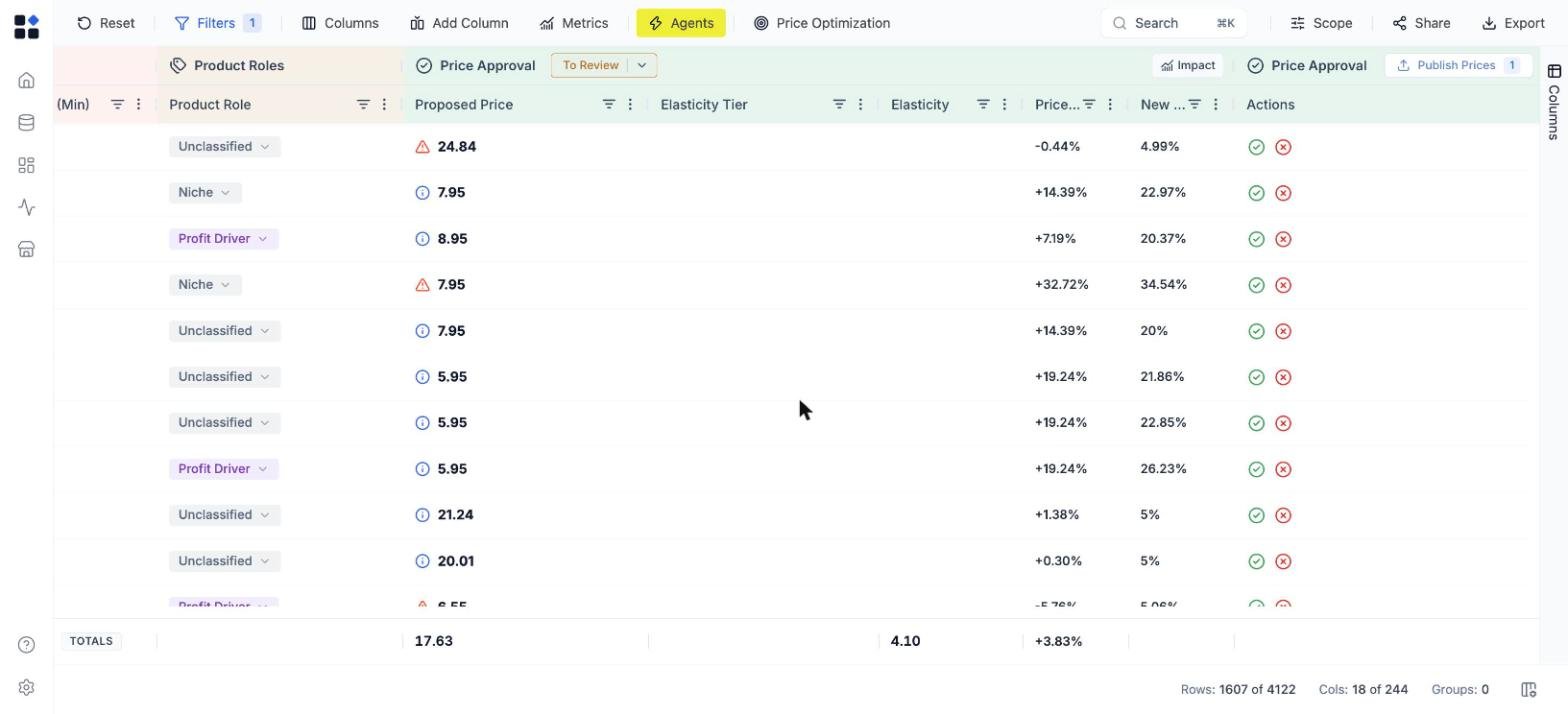
Scroll right in the grid to the Price Approval column group, or click a status chip on the Grids page to open the grid already filtered to it. The group header carries:- a status selector, set to To Review for the proposals still waiting on you;
- Impact, a run-level summary of how the batch splits between price rises, cuts and no change, with its forecasted effect over 7, 30, 90 or 180 days;
- Publish Prices, carrying the count of approvals staged so far.
See why a price was proposed
Click the info icon in a Proposed Price cell to open Price Analysis. It shows the current price, the regular price, the cost, the feasible range the price had to stay inside, how many rules applied, and what the change does to margin.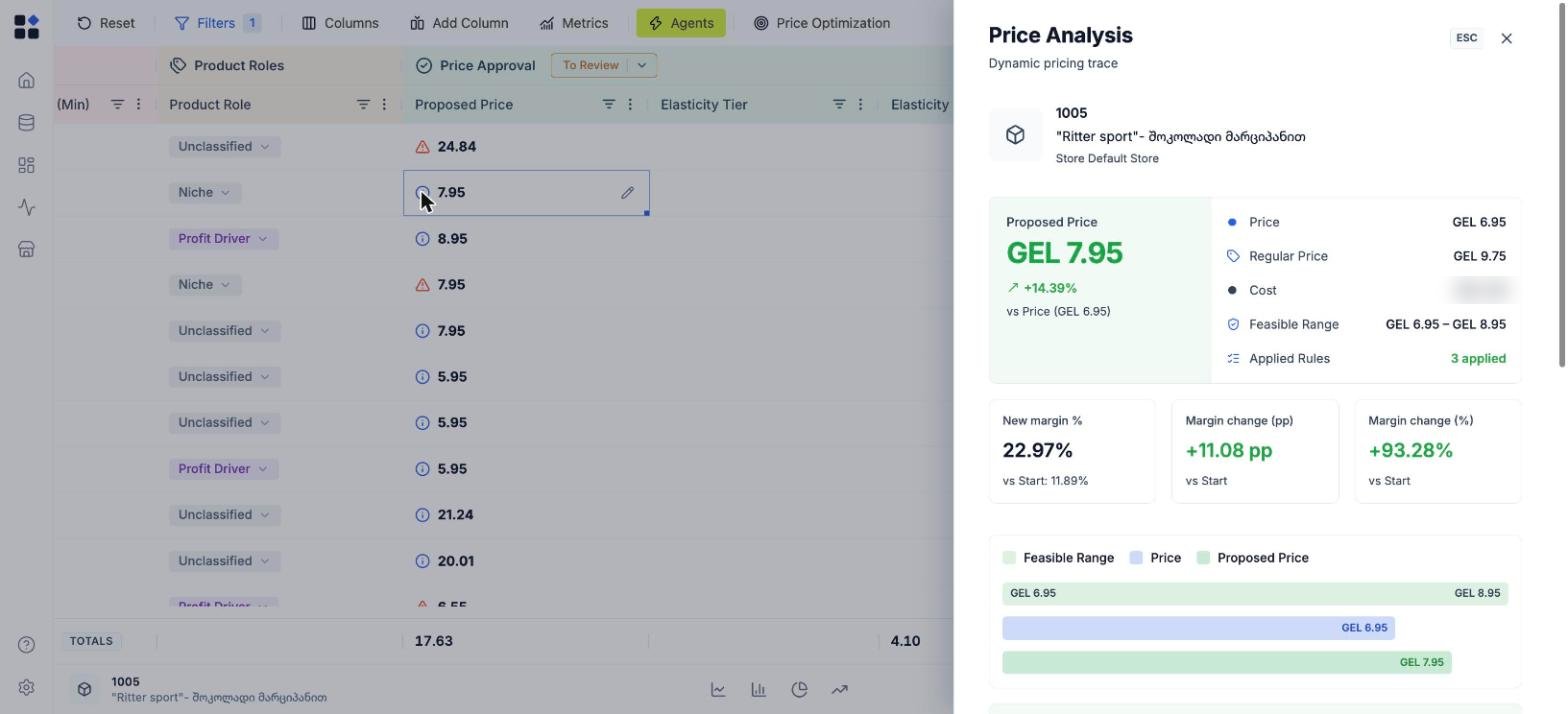
Approve, reject or override
The Actions column at the end of each row has two controls:- the green check approves the proposed price;
- the red cross rejects it and leaves the live price alone.
Publish
Click Publish Prices. The count on the button is what goes out. Published prices become the live prices on those products, metrics recalculate against them, and they flow into exports and the Public API. Rejected and unreviewed proposals stay as they are. That is one full cycle: data, optimization, approval, live prices.What next
Automate the cycle
Schedule runs and auto-approve the changes that clear your guardrails.
Monitor competitors
Keep competitor prices refreshing behind every run.
Set product roles
Classify each SKU as KVI, traffic, profit or niche before you price it.
Build a dashboard
Track price index, margin and the effect of what you published.