> ## Documentation Index
> Fetch the complete documentation index at: https://docs.retailgrid.io/llms.txt
> Use this file to discover all available pages before exploring further.
# Quickstart
> Get started with Retailgrid in minutes by uploading your product CSV, mapping fields, and creating your first grid.
Get from raw CSV to your first pricing-ready grid in minutes.
## Step 1. Create your account
* Go to [**app.retailgrid.io**](https://app.retailgrid.io)
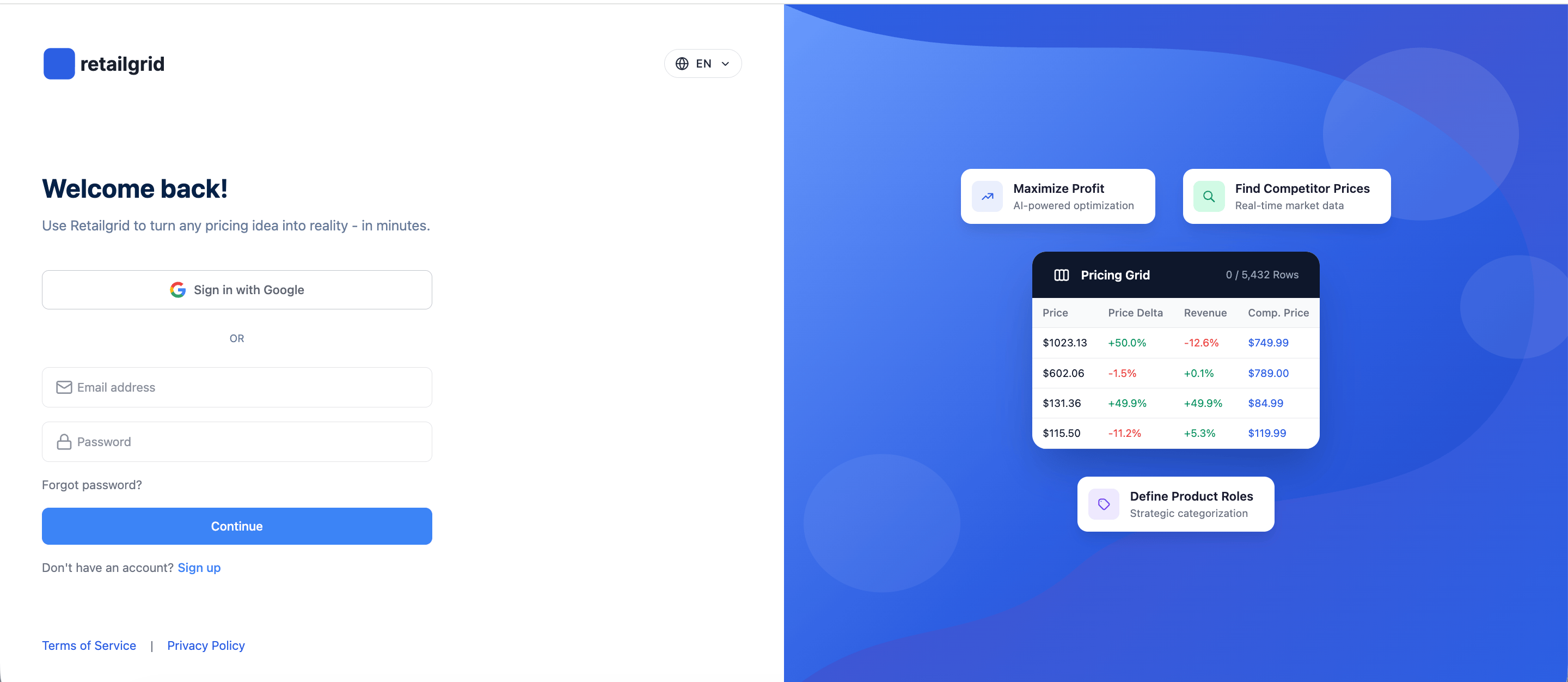
* Click **Sign in with Google** (recommended), or enter your email and a password to sign up.
* If you signed up with email and password, we'll send a verification email — click the link to confirm your address, then sign in. Google sign-in completes immediately.
You'll land on the **Grids** dashboard.
## Sign up
 ## Step 2. Click "Upload data"
From the top-right corner:
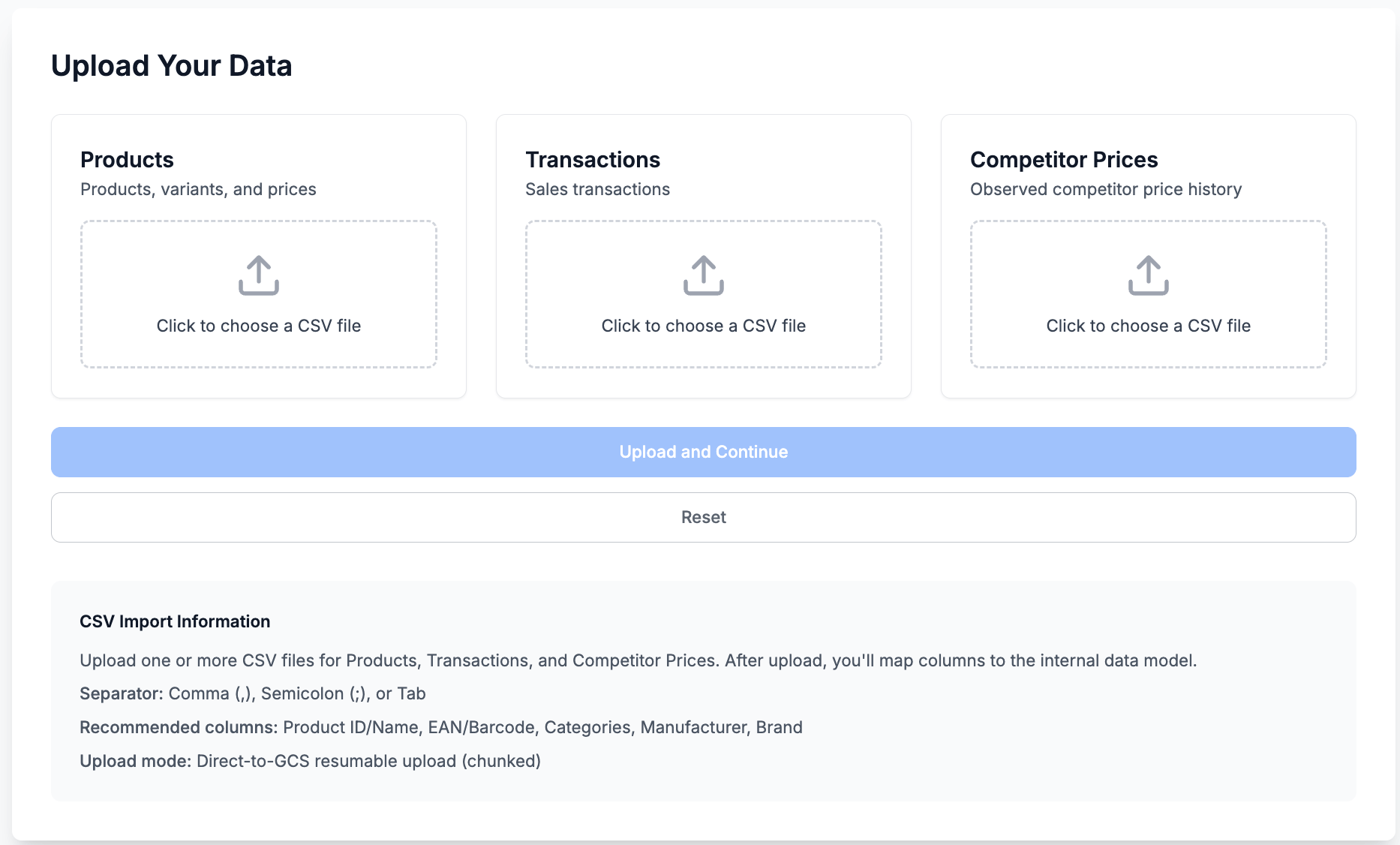
* Click **Upload Data**
* The **Upload Data** modal will open
You'll see two upload options:
* **Products** (required)
* **Transactions** (optional but recommended for analytics)
## Upload data
## Step 2. Click "Upload data"
From the top-right corner:
* Click **Upload Data**
* The **Upload Data** modal will open
You'll see two upload options:
* **Products** (required)
* **Transactions** (optional but recommended for analytics)
## Upload data
 ## Step 3. Select your CSV file
Upload your **Products CSV** file.
Before uploading, ensure your file follows Retailgrid data requirements. See [Products data requirements](/data-requirements/products).
### Minimum required fields
* `item_id`
* `product_name`
* `price`
* `unit_cost`
* `sku` (recommended)
* `barcode` (optional but useful)
Once selected, Retailgrid will parse your file and prepare it for mapping.
## Step 4. Match your data to Retailgrid schema
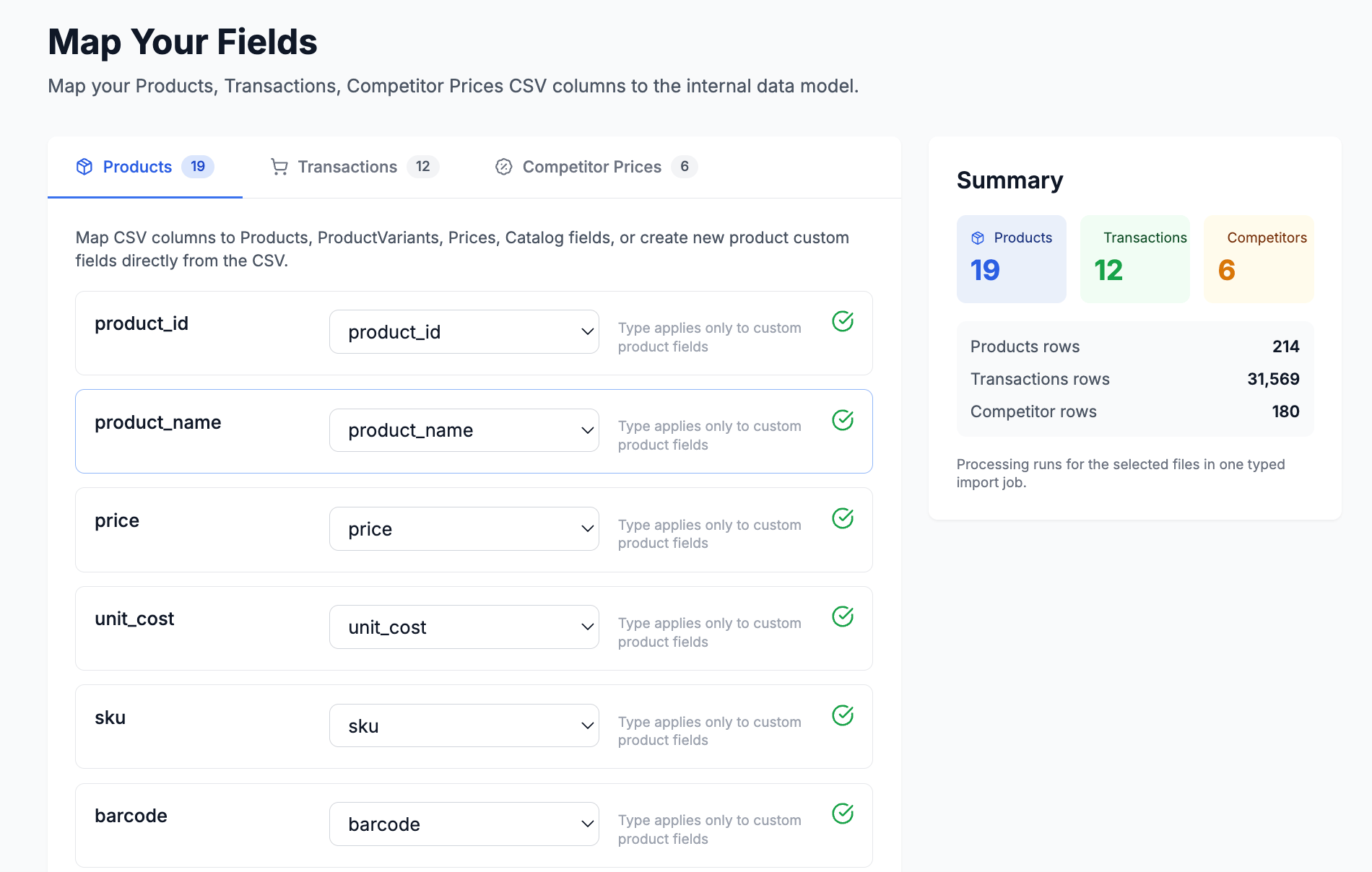
You'll enter the **Map Your Fields** screen.
Here you:
* Match your CSV column names to Retailgrid fields
* Confirm required fields are correctly mapped
* Validate data (green check = valid mapping)
Retailgrid supports:
* Products
* Product Variants
* Prices
* Catalog attributes (brand, manufacturer, product group, status, etc.)
When all required fields are mapped, proceed.
## Map your data
## Step 3. Select your CSV file
Upload your **Products CSV** file.
Before uploading, ensure your file follows Retailgrid data requirements. See [Products data requirements](/data-requirements/products).
### Minimum required fields
* `item_id`
* `product_name`
* `price`
* `unit_cost`
* `sku` (recommended)
* `barcode` (optional but useful)
Once selected, Retailgrid will parse your file and prepare it for mapping.
## Step 4. Match your data to Retailgrid schema
You'll enter the **Map Your Fields** screen.
Here you:
* Match your CSV column names to Retailgrid fields
* Confirm required fields are correctly mapped
* Validate data (green check = valid mapping)
Retailgrid supports:
* Products
* Product Variants
* Prices
* Catalog attributes (brand, manufacturer, product group, status, etc.)
When all required fields are mapped, proceed.
## Map your data
 ## Step 5. Name your first grid and select products
After processing:
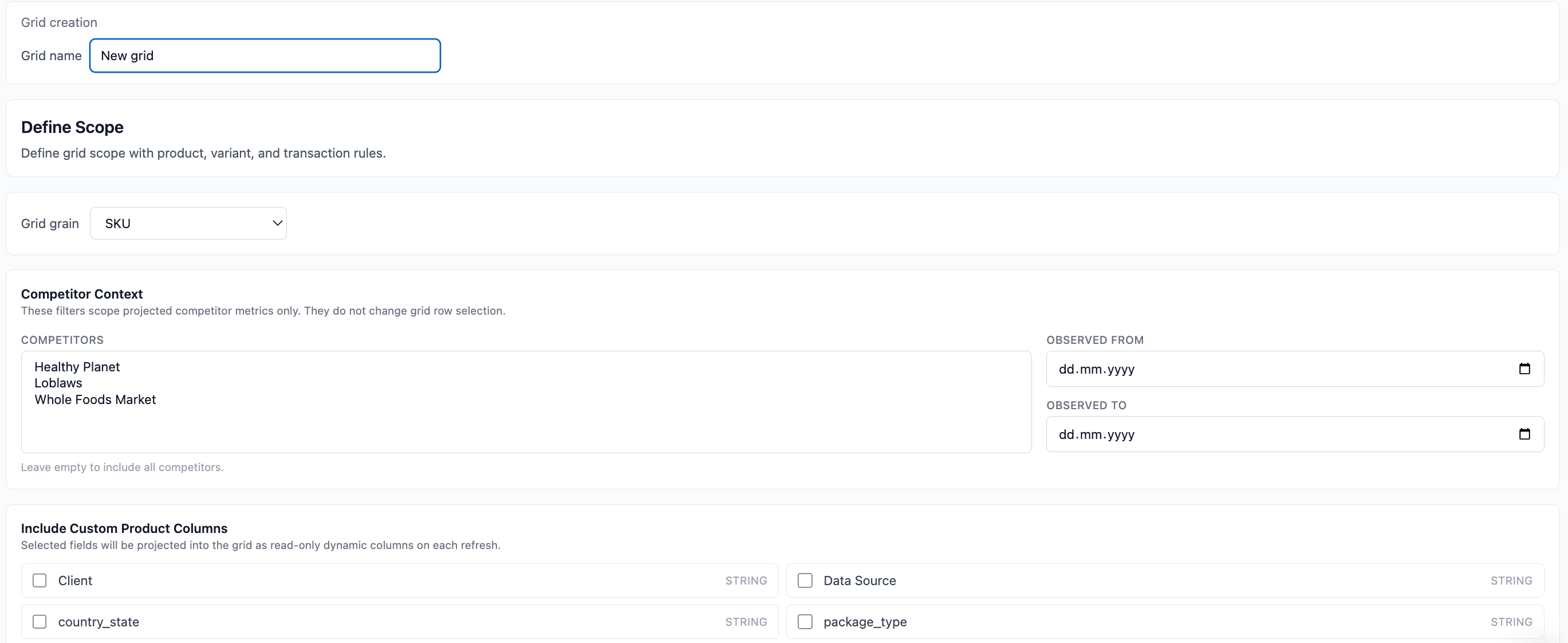
1. Enter a **Grid Name** (e.g., "March Pricing Test")
2. Select the products you want included:
* Filter by brand, type, status
* Select all or specific SKUs
3. Click **Proceed**
A Grid is a focused working environment - not just raw data, but the set of products you want to analyze, price, or optimize.
## Name your first grid and select products
## Step 5. Name your first grid and select products
After processing:
1. Enter a **Grid Name** (e.g., "March Pricing Test")
2. Select the products you want included:
* Filter by brand, type, status
* Select all or specific SKUs
3. Click **Proceed**
A Grid is a focused working environment - not just raw data, but the set of products you want to analyze, price, or optimize.
## Name your first grid and select products
 ## Step 6. Your grid is created
Your Grid opens in grid view.
You can now:
* Filter and sort products
* Edit prices
* Add calculated columns
* Apply rules
* Run agents
* Export results
You're now ready to:
* Define product roles
* Apply pricing rules
* Analyze margins
* Model scenarios
* Track performance
## What's next?
To get the full pricing workflow:
* Upload **Transactions CSV** for sales analytics
* Add competitor data
* Configure pricing rules
* Generate pricing strategy presentations
## Step 6. Your grid is created
Your Grid opens in grid view.
You can now:
* Filter and sort products
* Edit prices
* Add calculated columns
* Apply rules
* Run agents
* Export results
You're now ready to:
* Define product roles
* Apply pricing rules
* Analyze margins
* Model scenarios
* Track performance
## What's next?
To get the full pricing workflow:
* Upload **Transactions CSV** for sales analytics
* Add competitor data
* Configure pricing rules
* Generate pricing strategy presentations